3D Gaussian Splatting from scratch with NVIDIA Warp
A set of photographs tells us what a scene looks like from a few cameras. How can we build something that produces an image from a camera we have not seen before?
One answer is to represent the scene as many soft, colored blobs in three dimensions. Move a camera around them, project them onto an image, and blend their contributions. Then adjust the blobs until those rendered images resemble the photographs. That is the core idea behind 3D Gaussian Splatting, or 3DGS.
I built 3dgs-warp-scratch to make that process inspectable in Python. It includes the forward renderer, explicit backward gradients, parameter updates, and the logic that adds or removes Gaussians during training. NVIDIA Warp supplies the compiled parallel kernels. This article follows one image through that implementation.
What is a Gaussian in a scene?
A point has a position but no size. A Gaussian has a center and a soft extent: its influence is strongest near the center and falls off farther away. Stretch it differently along three axes, then rotate it, and you get an oriented ellipsoid rather than a sphere.
We attach appearance parameters to that shape:
| Parameter | What it controls |
|---|---|
| Position | Where the Gaussian sits in the scene |
| Scale | How far it extends along each of three axes |
| Rotation | Which way those axes point |
| Opacity | How strongly it can contribute to an image |
| Color coefficients | How its color changes with viewing direction |
A scene is a collection of these records. There is no triangle mesh connecting their centers. The rendered surface emerges from the combined contribution of many overlapping Gaussians.
The covariance matrix describes the Gaussian's shape and orientation. Rather than optimizing arbitrary entries of that matrix, the renderer constructs it from scales and a rotation. In mathematical notation:
Σ = R S Sᵀ Rᵀ
S is a diagonal matrix containing the three scales. R rotates the axes, and
ᵀ means transpose. This is a compact way to describe an ellipsoid whose shape
can change during training. In the code, compute_cov3d performs that conversion.
Source: forward.py.
From a 3D blob to a 2D footprint
Rendering starts with a camera. Its position and orientation tell us where the scene is relative to the viewer; its focal length tells us how that scene maps onto the image.
First transform a Gaussian's center into camera coordinates. With a simple
perspective camera, the horizontal image coordinate is proportional to x / z.
That division explains why distant objects appear smaller. The vertical
coordinate works the same way.
But projecting only the center would leave a single dot. We also need to project the Gaussian's extent. Around each center, the renderer uses a local linear approximation to perspective. The Jacobian is the matrix describing that local change: how a small movement in 3D changes the projected position.
The shape transformation is:
Σscreen = J W Σworld Wᵀ Jᵀ
W rotates world-space directions into camera coordinates. J describes the
local projection. The result is a 2D covariance: the size and orientation of an
elliptical footprint on the screen. It is an approximation around the center,
not an exact perspective projection of the entire 3D Gaussian.
The renderer also computes the inverse of this 2D covariance. The code calls its
three independent entries a conic. Those numbers let each pixel evaluate how
far it lies from the center in the ellipse's own coordinate system. A long, thin
ellipse falls off slowly along its long direction and quickly across its short
direction. The compute_cov2d and wp_preprocess functions prepare this information.
Source: forward.py.
Why the renderer groups work into tiles
Testing every Gaussian against every pixel would spend most of its time on pairs that cannot affect one another. A Gaussian on the left side of an image usually has nothing to contribute to the far right side.
This renderer divides the image into 16 × 16 pixel tiles. For each projected Gaussian, it estimates a bounded footprint and records the tiles that footprint overlaps. A prefix sum reserves space for those records. The renderer then builds pairs containing a Gaussian ID and a key combining tile ID with depth.
Sorting the keys groups records by tile and orders the Gaussians within each tile from near to far. Each pixel only walks the candidate list for its own tile. The ellipse evaluation still decides how much a candidate actually contributes.
The same Gaussian can appear in several tile lists. This duplicates an ID and a
sorting key; it does not create several independently trainable Gaussians.
wp_duplicate_with_keys, wp_identify_tile_ranges, and the call to
wp.utils.radix_sort_pairs make this organization explicit.
Source: forward.py.
Blending: one pixel, two Gaussians
A projected Gaussian does not paint every covered pixel with the same strength. Its per-pixel alpha combines its opacity with the Gaussian falloff at that pixel. Near the center the contribution is stronger; toward the edges it fades.
Now imagine a red Gaussian in front of a blue Gaussian. At one particular pixel,
the red one has alpha 0.5 and the blue one has alpha 0.4. Start with a black
background and a remaining visibility, or transmittance, of 1.
| Contribution | Weight | Visibility left afterward |
|---|---|---|
| Front red Gaussian | 1 × 0.5 = 0.5 |
1 × (1 − 0.5) = 0.5 |
| Back blue Gaussian | 0.5 × 0.4 = 0.2 |
0.5 × (1 − 0.4) = 0.3 |
| Background | 0.3 |
— |
The final RGB value is [0.5, 0, 0.2] for a black background. The blue Gaussian
gets less influence because the red Gaussian has already covered part of the
pixel. Reverse their order and the result changes. That is why depth sorting is
part of rendering, not just a memory optimization.
For each candidate, the accumulation rule is:
color = color + transmittance × alpha × gaussian_color
transmittance = transmittance × (1 − alpha)
These are explanatory equations, not a complete rendering kernel. The actual
implementation caps alpha, ignores very small contributions, and stops processing
when the remaining visibility becomes sufficiently small. It then adds the
background weighted by the visibility that remains. This happens in
wp_render_gaussians.
Source: forward.py.
Color can depend on the camera
A fixed RGB value cannot describe every appearance change as the camera moves. The project stores spherical harmonic coefficients: weights for a small set of smooth functions of viewing direction. Evaluate those functions for the current camera direction, combine them using the weights, and obtain the Gaussian's color.
Degree zero supplies a direction-independent component. Higher degrees add variation over direction. The training code allocates 16 RGB coefficients per Gaussian, corresponding to degree three. These coefficients represent appearance; they do not turn the renderer into a physical lighting simulation. Sources: train.py, forward.py.
Training runs the reasoning backward
So far, the renderer answers: “Given these Gaussians and this camera, what image do I get?” Training asks: “How should the Gaussians change to make this image closer to the photograph?”
In this implementation, one training iteration chooses a camera, renders an image, and computes an L1 loss: the average absolute difference between predicted and target color channels. The active loop uses L1, even though the repository also contains some SSIM-related code.
A gradient measures how a small parameter change affects the loss. The backward pass starts with gradients for pixel colors and follows the rendering operations in reverse: through blending, the elliptical footprints, projection, and finally the Gaussian positions, scales, rotations, opacities, and color coefficients.
Many pixels can contribute a gradient to the same Gaussian. Those contributions
must be accumulated. The project implements its backward kernels explicitly in
backward.py; the training loop does not simply ask a Warp tape to differentiate
the entire renderer. Adam then uses the gradients and running statistics to update
the parameters.
Gaussians + camera → rendered image → image loss
       ↑                                  ↓
 parameter update ← parameter gradients ← pixel gradients
The forward pass saves intermediate buffers because the backward pass needs to know which Gaussians contributed and how they were blended. Sources: training loop, backward kernels, optimizer.
Learning how many Gaussians to use
Moving a fixed set of blobs is not always enough. A large blob may cover a region that needs finer detail, while an almost invisible blob may consume storage without helping the image.
Densification changes the representation itself. This implementation marks small Gaussians with large gradient signals for cloning, and larger ones for splitting. Pruning removes candidates with sufficiently low opacity. The trainer coordinates these operations on a schedule and adjusts the parameter and optimizer buffers as the number of Gaussians changes.
These are discrete changes to the scene, separate from the continuous parameter updates made by Adam. The distinction matters: training learns both the parameters of the current representation and, through these rules, where to allocate more representation capacity.
For the supplied training path, initialization starts with random positions. It is not loading a structure-from-motion point cloud, even though point-cloud initialization is part of the original 3DGS method. Read the actual initializer when following this implementation. Sources: train.py, optimizer.py.
What Warp contributes
Warp compiles typed Python kernel functions for parallel execution on CPUs or
supported NVIDIA GPUs. In this project, @wp.kernel marks a kernel,
wp.launch supplies its execution dimensions and inputs, and wp.tid() identifies
which element of that parallel work a kernel invocation handles.
Warp documentation.
That lets the rendering math remain in Python source while still describing work per Gaussian or per pixel. It does not make the surrounding Python training loop run as one GPU kernel, and it does not automatically supply the renderer's algorithm or gradient formulas.
The repository's device selection lives in config.py. At the revision linked
here it is set to "cuda", despite the README describing CPU as the default.
Warp supports CPU execution, but GPU use still requires compatible hardware and
drivers.
Configuration.
Find the idea in the code
| File | Question it answers |
|---|---|
render.py |
What does a minimal scene of three Gaussians look like? |
forward.py |
How do camera projection, tile lists, and blending produce pixels? |
backward.py |
How does image error become gradients for Gaussian parameters? |
loss.py |
How are image differences and pixel gradients computed? |
optimizer.py |
How are parameters updated, cloned, split, or removed? |
train.py |
How are rendering, learning, and scene changes connected? |
utils/camera_utils.py |
How are dataset camera conventions converted for rendering? |
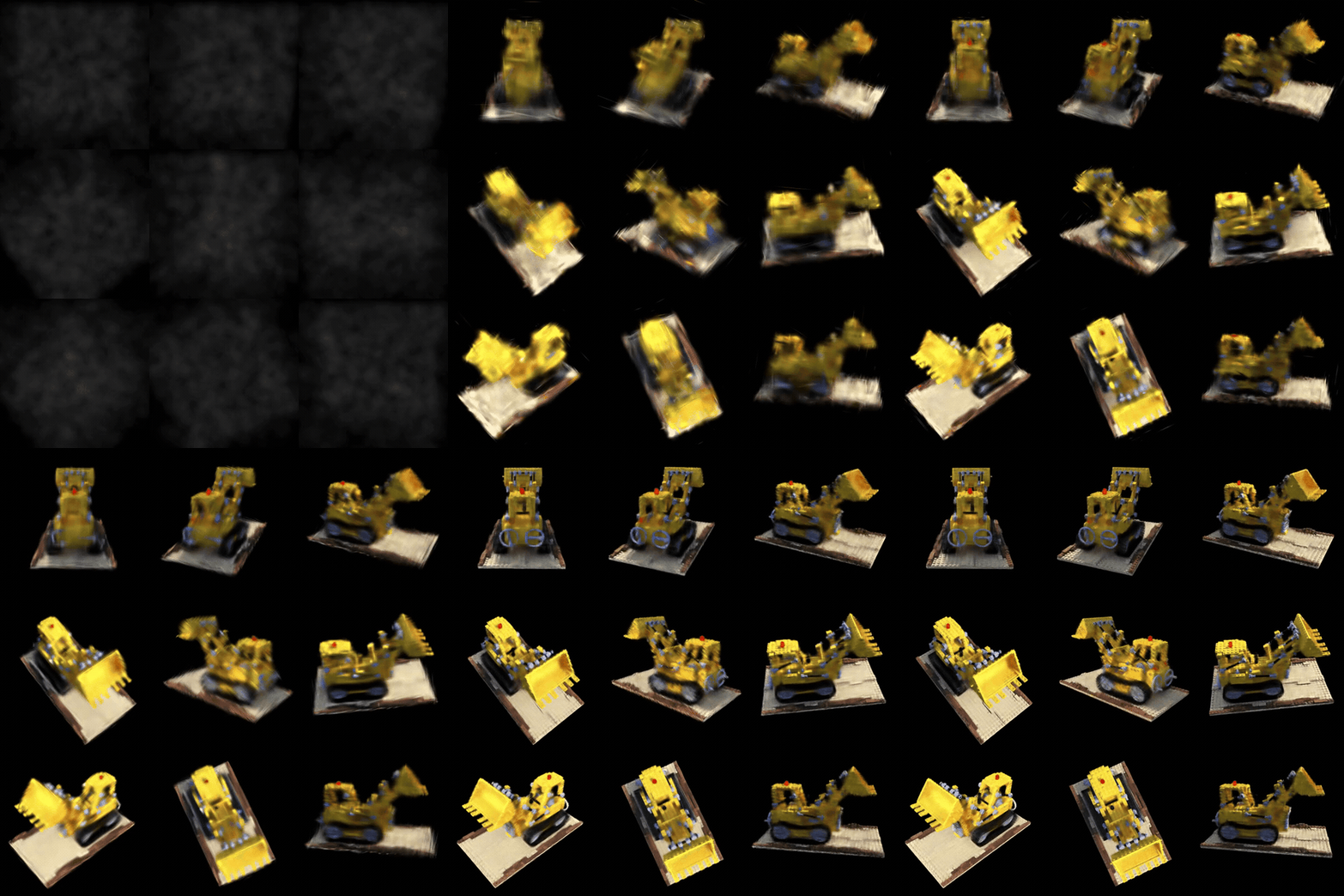
The three-Gaussian scene is a useful starting point because it isolates rendering from training. The Lego example adds images, camera poses, gradients, and updates to that same forward process. Installation and entry points are in the repository README.
The method comes from Kerbl et al.'s 3D Gaussian Splatting paper. This project's forward and backward implementations draw on graphdeco-inria/gaussian-splatting, and its densification and pruning logic draws on gaussian-splatting-lightning. The purpose of this reimplementation is to make the path from a scene description to a trainable image generator easier to follow.